
Testnet Instructions
Set up a testnet wallet and access the Cryptool test server. Follow each section in order, wallet creation, getting test tokens, then accessing the test server.
Wallet Creation, MultiversX Devnet
Visit https://devnet-wallet.multiversx.com/unlock and create a new wallet for testing purposes only.
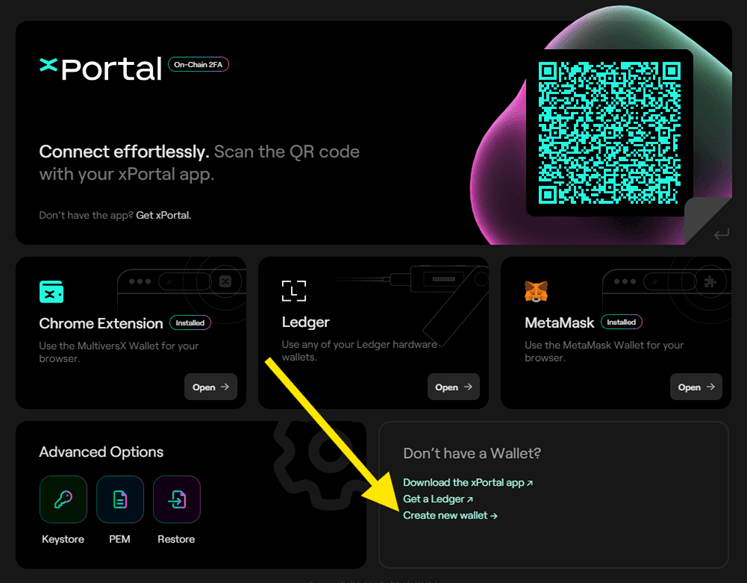
- Open the link and click Create a new wallet.
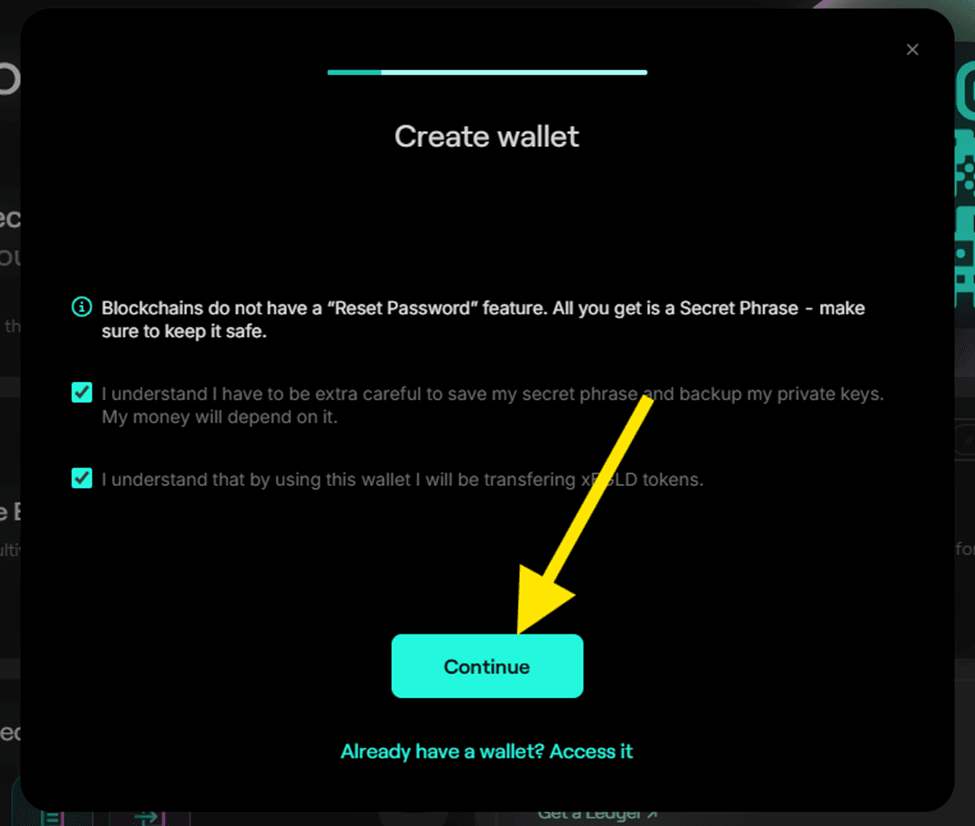
- Accept the Terms & Conditions and click Continue.
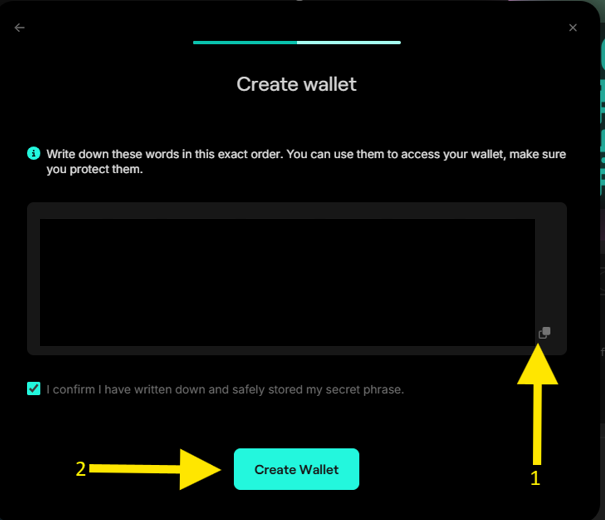
- Copy and save your secret key, then click Create Wallet.
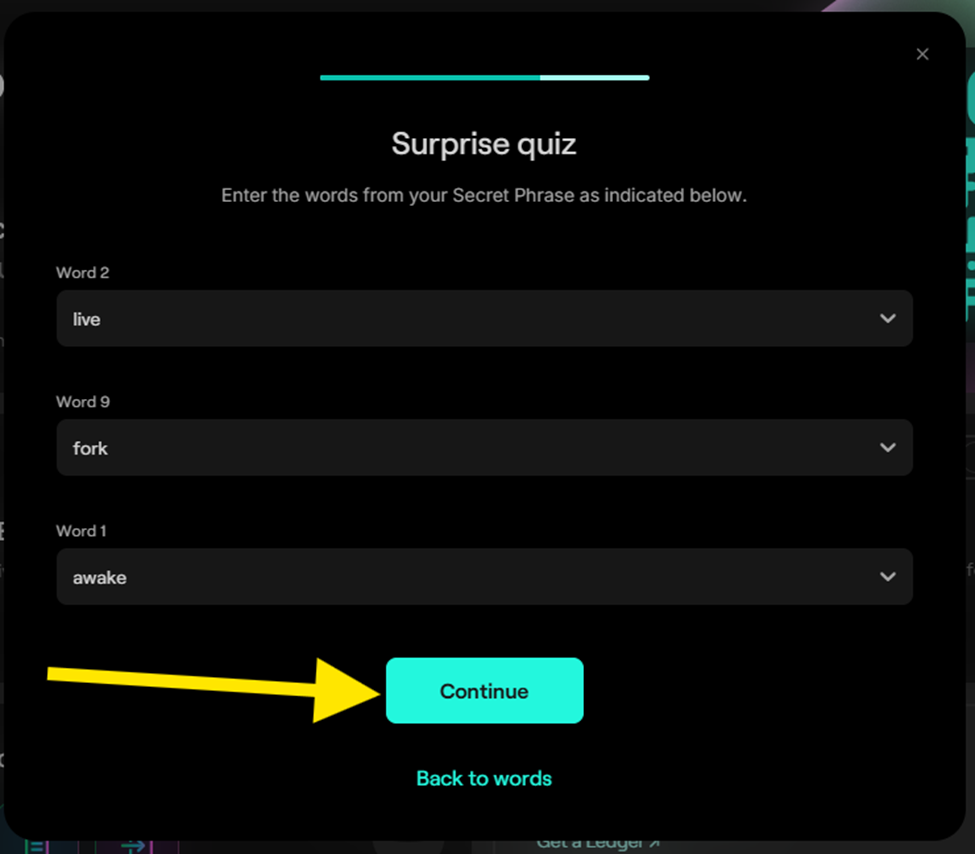
- Type the words from your secret key according to the word number asked.
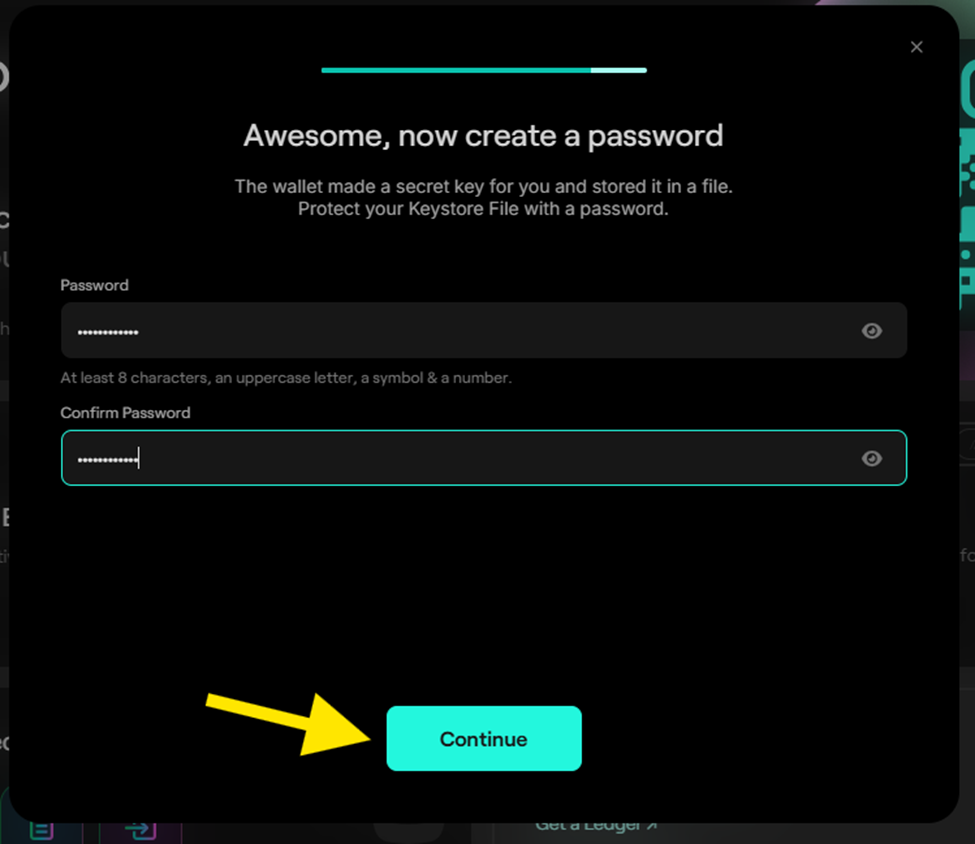
- Set up a password and click Continue.
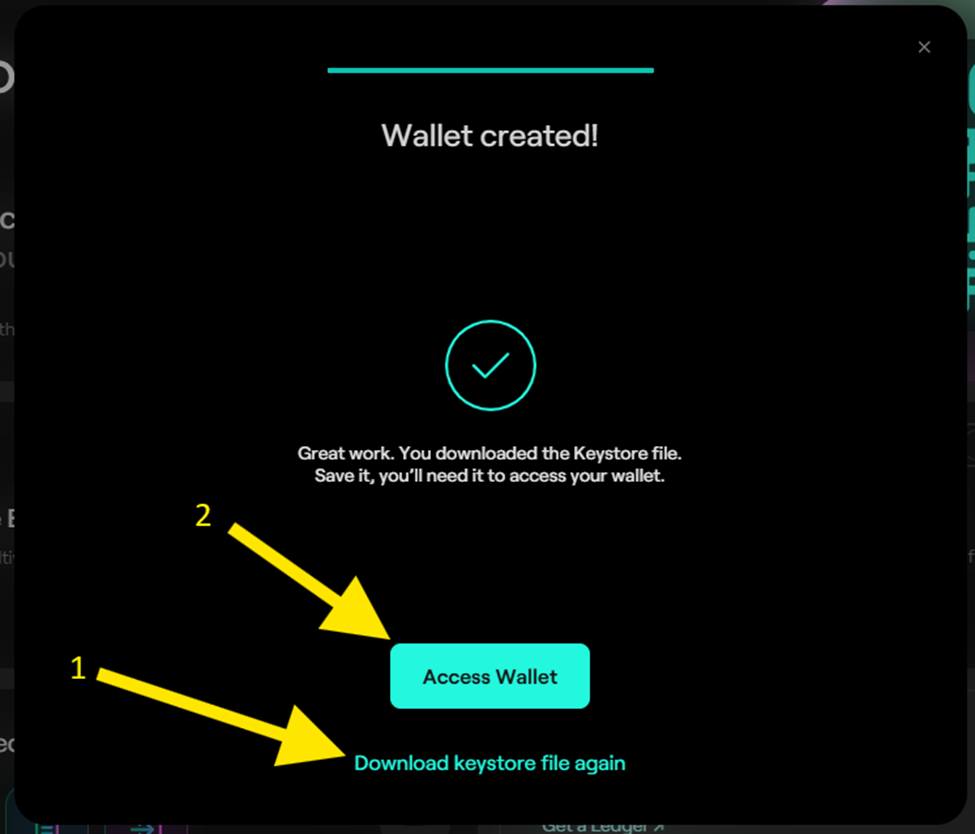
- Your wallet is created. The keystore file downloads automatically (check your browser's Downloads folder). If it doesn't, click Download keystore file again, then click Access Wallet.
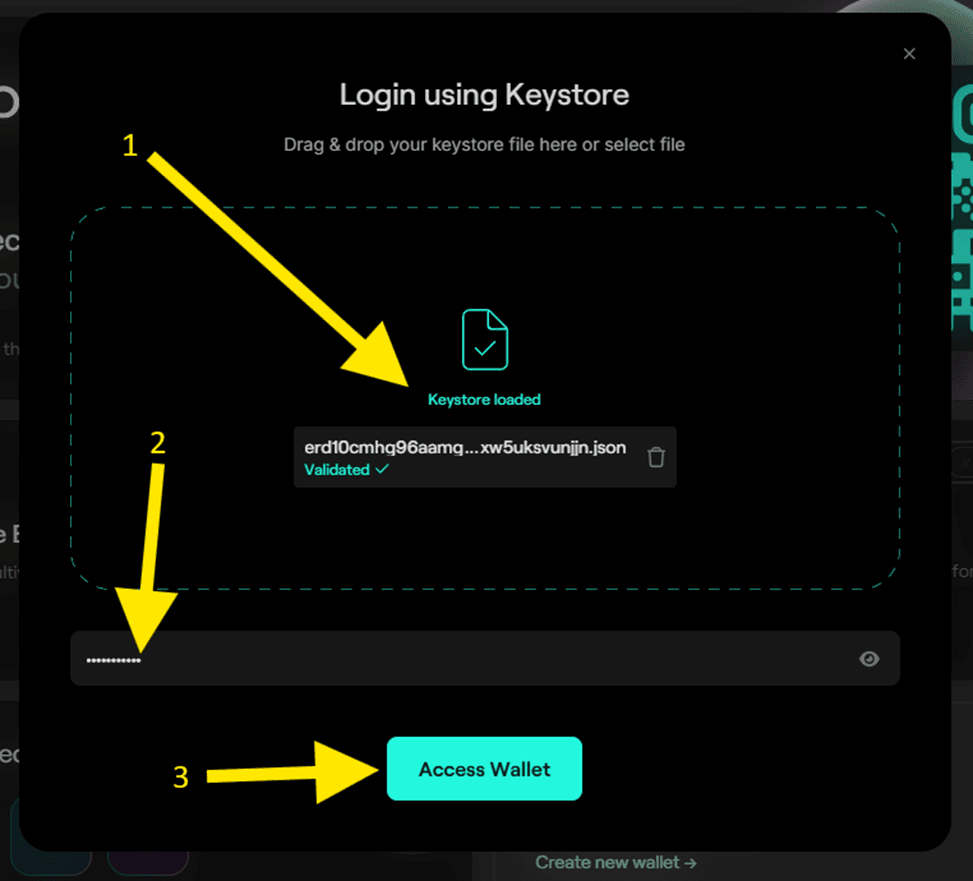
- To access your wallet, drag and drop or upload your keystore file. Type the password you set up in the previous step, then click Access Wallet.
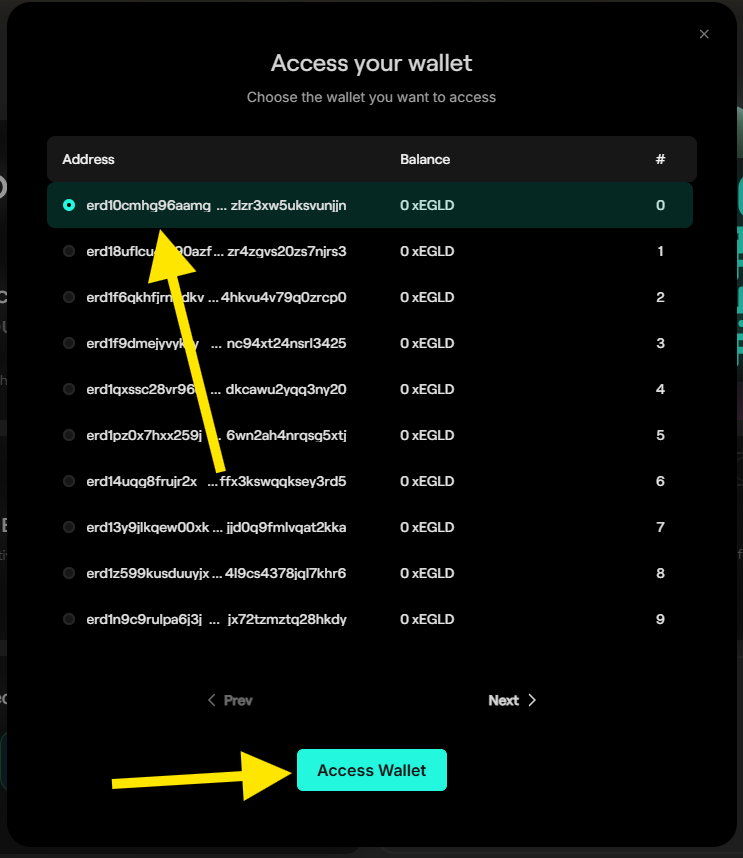
- A list of wallets connected to your keystore file will appear. Choose the first one and click Access Wallet.
Wallet Creation, BNB Chain Testnet
Open your wallet app or extension (e.g. MetaMask) and add the BNB Testnet network using the instructions here:
https://revoke.cash/learn/wallets/add-network/bnb-chain-testnet
Getting Test Tokens, MultiversX
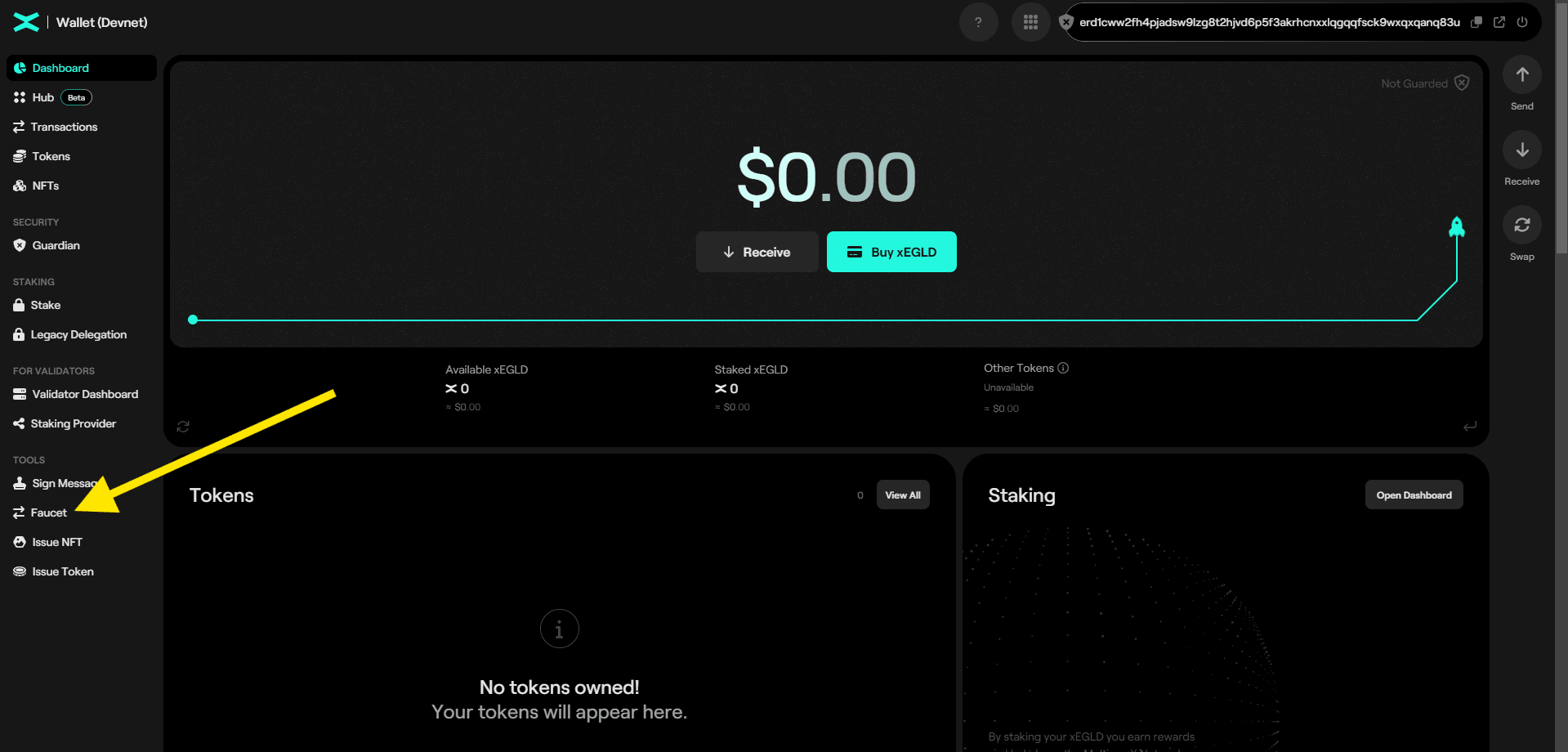
You'll be in the wallet dashboard after creating it. To get test tokens, click on Faucet under Tools on the left, this opens a pop-up. Solve the captcha and click Request Tokens. You can get 5 xELGD tokens every 24 hours.
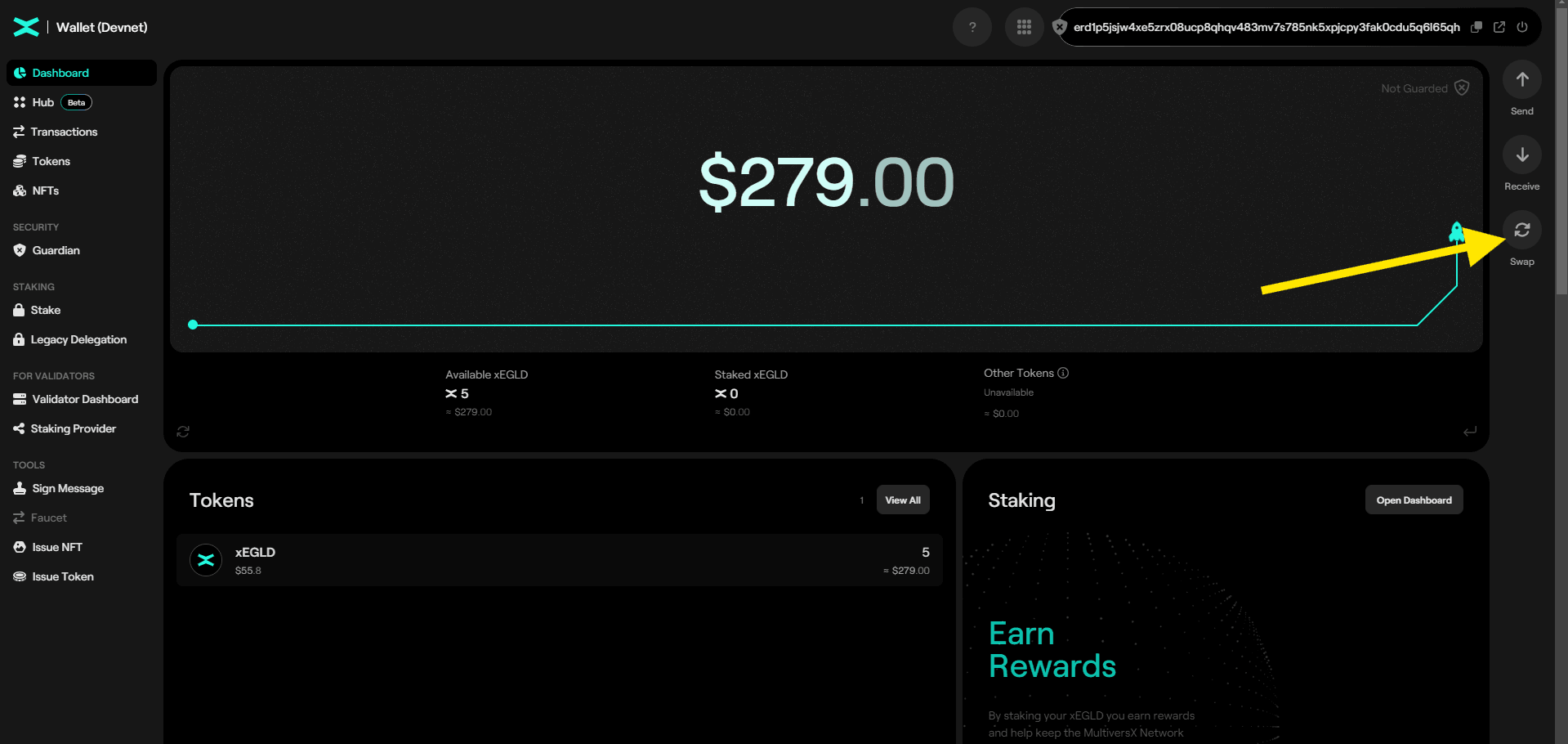
Now that you have the test tokens, swap a portion of them to USDC for testing.
- Click the Swap button on the right to access the swap pop-up.
- Swap 4.5 xELGD tokens to USDC (type "USDC" to find the correct token). The remaining xELGD will be used for transaction fees. Enter the amount and click Swap. The correct USDC token identifier is
USDC-350c4e.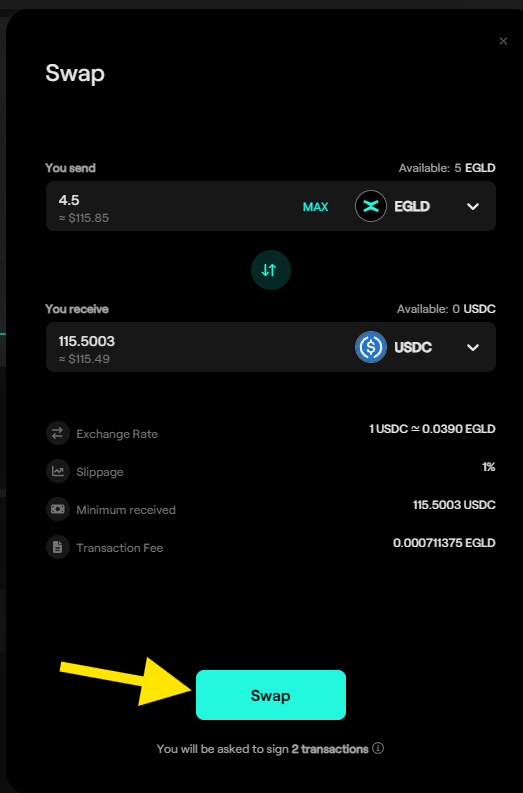
Getting Test Tokens, BNB Chain
Use a wallet that has BNB on mainnet. Go to https://www.bnbchain.org/en/testnet-faucet, enter your wallet address, and generate BNB Testnet tokens (TBNB).
For USDT test tokens that work with the Cryptool test server's deposits and distributions, contact the Cryptool team via the Contact Us page.
Accessing the Test Server
Now that you have test tokens, create an account on the test server. Navigate to https://staging.cryptool.io/. On the top right, you'll see Log In and Sign Up buttons. Log in if you already have an account, or sign up with email or Google.
For more details, see the Create Account guide.
Adding a Wallet to your Profile
To add a wallet to your profile, see the User Wallets guide.
Creating or Joining Groups
- To create a group, see the Create Group guide.
- To join a group, see the Join Group guide.
Joining Pools
To join a pool, see the Join Pool guide.
'%3e%3cpath%20d='M3.58464%2016.6693C3.1263%2016.6693%202.73394%2016.5061%202.40755%2016.1797C2.08116%2015.8533%201.91797%2015.4609%201.91797%2015.0026V5.0026C1.91797%204.54427%202.08116%204.15191%202.40755%203.82552C2.73394%203.49913%203.1263%203.33594%203.58464%203.33594H16.918C17.3763%203.33594%2017.7687%203.49913%2018.0951%203.82552C18.4214%204.15191%2018.5846%204.54427%2018.5846%205.0026V15.0026C18.5846%2015.4609%2018.4214%2015.8533%2018.0951%2016.1797C17.7687%2016.5061%2017.3763%2016.6693%2016.918%2016.6693H3.58464ZM10.2513%2010.8359L16.918%206.66927V5.0026L10.2513%209.16927L3.58464%205.0026V6.66927L10.2513%2010.8359Z'%20fill='%232F4644'/%3e%3c/g%3e%3c/svg%3e)


'%3e%3cpath%20d='M17.6986%203.85159L15.058%2016.3047C14.8587%2017.1836%2014.3392%2017.4024%2013.6009%2016.9883L9.57749%2014.0235L7.63608%2015.8906C7.42124%2016.1055%207.24155%2016.2852%206.82749%2016.2852L7.11655%2012.1875L14.5736%205.44924C14.8978%205.16018%2014.5033%205.00002%2014.0697%205.28909L4.85093%2011.0938L0.882175%209.85159C0.0188933%209.58205%200.00326826%208.9883%201.06186%208.57424L16.5853%202.59377C17.3041%202.32424%2017.933%202.75393%2017.6986%203.85159Z'%20fill='%232F4644'/%3e%3c/g%3e%3cdefs%3e%3cclipPath%20id='clip0_17601_246206'%3e%3crect%20width='17.5'%20height='20'%20fill='white'%20transform='translate(0.25)'/%3e%3c/clipPath%3e%3c/defs%3e%3c/svg%3e)